LLM Classification
Classify concordance lines with custom variables
Overview
LLM classification lets you assign linguistic labels to a random sample of concordance lines. You define variables (enum or open) and the model returns one label per variable.
Presets
Use preset variables for common tasks:
- Subject animacy (animate vs inanimate)
- Transitivity (transitive vs intransitive vs ditransitive)
- Topic (open, coarse-grained domain)
- Illocution (Searle taxonomy)
Custom variables
Create your own variables:
- Enum: fixed set of options
- Open: free-text label (1-3 words recommended)
Add a short description and optional examples to guide the model.
How to run
- Run a CQL query in the custom app.
- Open LLM classification (bottom of the page).
- Add presets and/or custom variables.
- Choose a sample size and click Classify sample.
Output
- A table with Left / KWIC / Right + your variable columns.
- CSV export with the same columns.
Notes & tips
- Keep variable descriptions concise and concrete.
- Use examples to indicate the intended granularity.
- The LLM uses the server OpenAI key (no client key required).
Linguistic Use Cases
Beyond the preset variables, LLM classification enables diverse linguistic analyses:
Word Sense Disambiguation
Classify polysemous words by their contextual meaning:
- Query:
[lemma="strana"]in skRed (Slovak) - Variable: Enum with options “spatial side”, “political party”
- Result: Automatic sense labeling that complements semantic clustering
Grammatical Aspect (Slavic Languages)
Distinguish perfective vs. imperfective aspect:
- Query:
[lemma="robiť" | lemma="urobiť"]in skRed - Variable: Enum with “imperfective (process)”, “perfective (result)”
- Application: Aspect studies, cross-linguistic comparison
Sentiment Analysis
Analyze attitudes toward entities in discourse:
- Query:
[word="Fico" | word="Ficovi" | word="Fica"]in skRed - Variable: Enum with “positive”, “neutral”, “negative”
- Application: Political discourse analysis, public opinion research
Morphological Function
Classify productive morphological patterns:
- Query:
[word=".*[íč]ko"]in skRed (Slovak diminutives) - Variable: Enum with “actual diminution”, “affective/endearment”, “lexicalized”
- Application: Morphology research, pragmatics
Causative Alternation
Distinguish argument structure patterns:
- Query:
[lemma="break" & tag="VV.*"]in COCA - Variable: Enum with “causative (X breaks Y)”, “inchoative (Y breaks)”
- Application: Valency studies, construction grammar
Example: Classifying subject animacy in UniPlans
This walkthrough demonstrates LLM classification using the UniPlans corpus to analyze the grammatical subjects of “partnership” constructions.
Step 1: Run a query
First, run a CQL query to get concordance results:
- Select UniPlans (383K tokens) from the corpus dropdown.
- Query for
[lemma=="partnership"]. - Click Run builder query.
Step 2: Configure variables
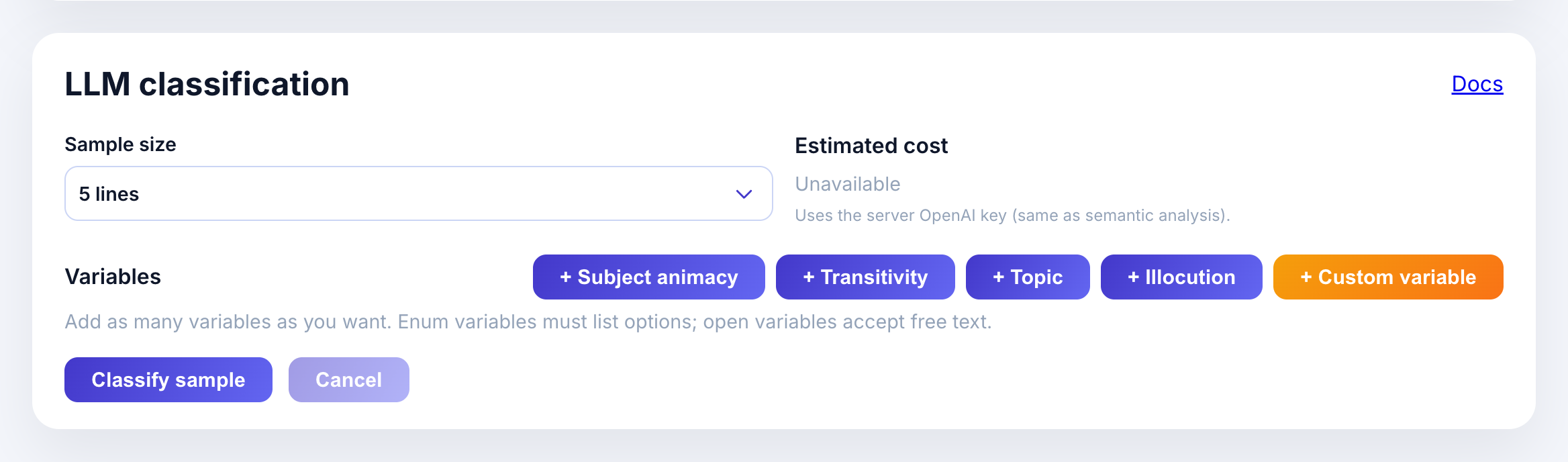
Scroll to the LLM classification panel. You’ll see:
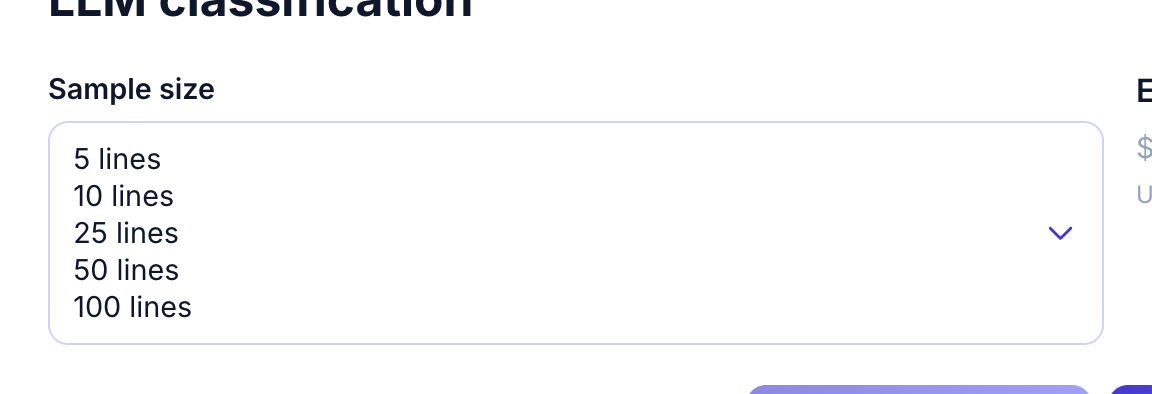
- Sample size: how many concordances to classify (5-100)
- Estimated cost: calculated based on variables and sample size
- Preset variable buttons: Subject animacy, Transitivity, Topic, Illocution
Open the sample size dropdown to pick how many lines to classify:
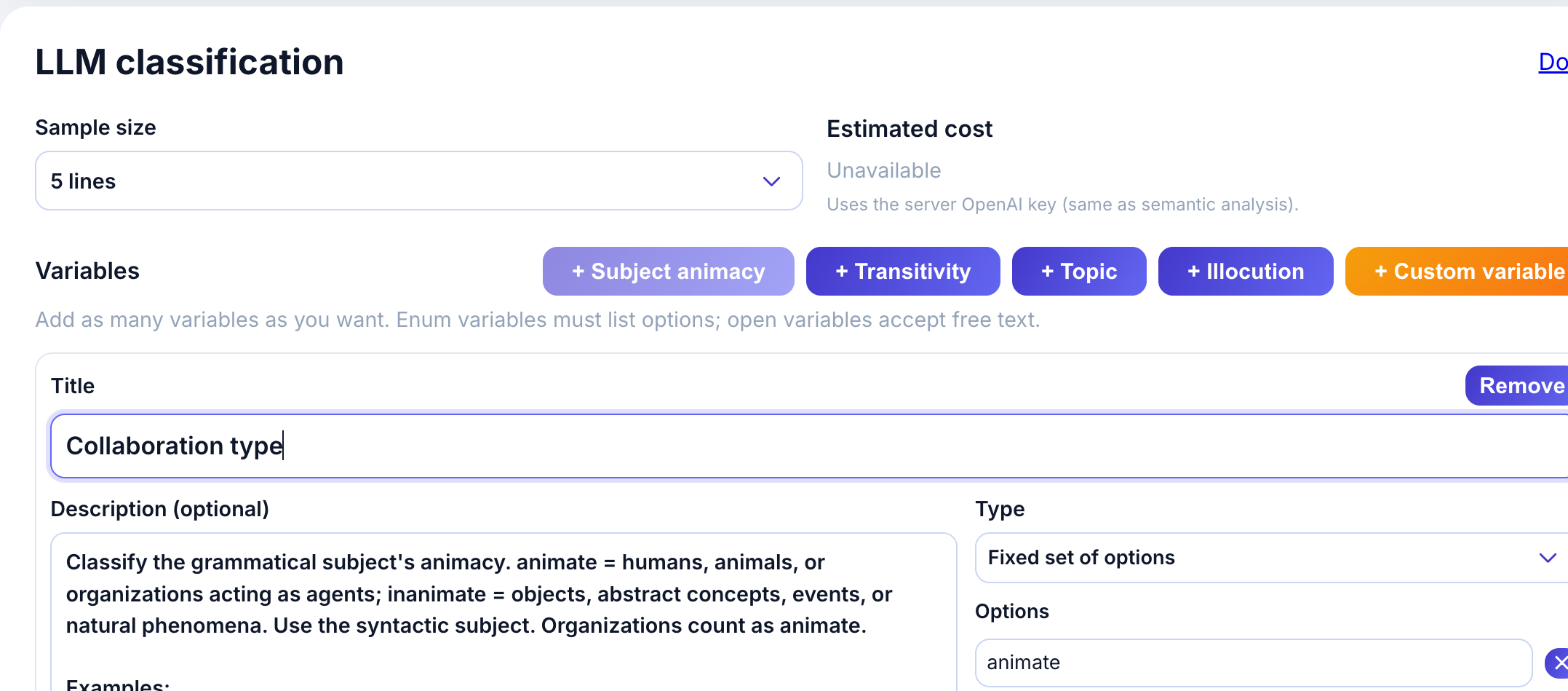
Click + Subject animacy to add the preset. The variable card appears with:
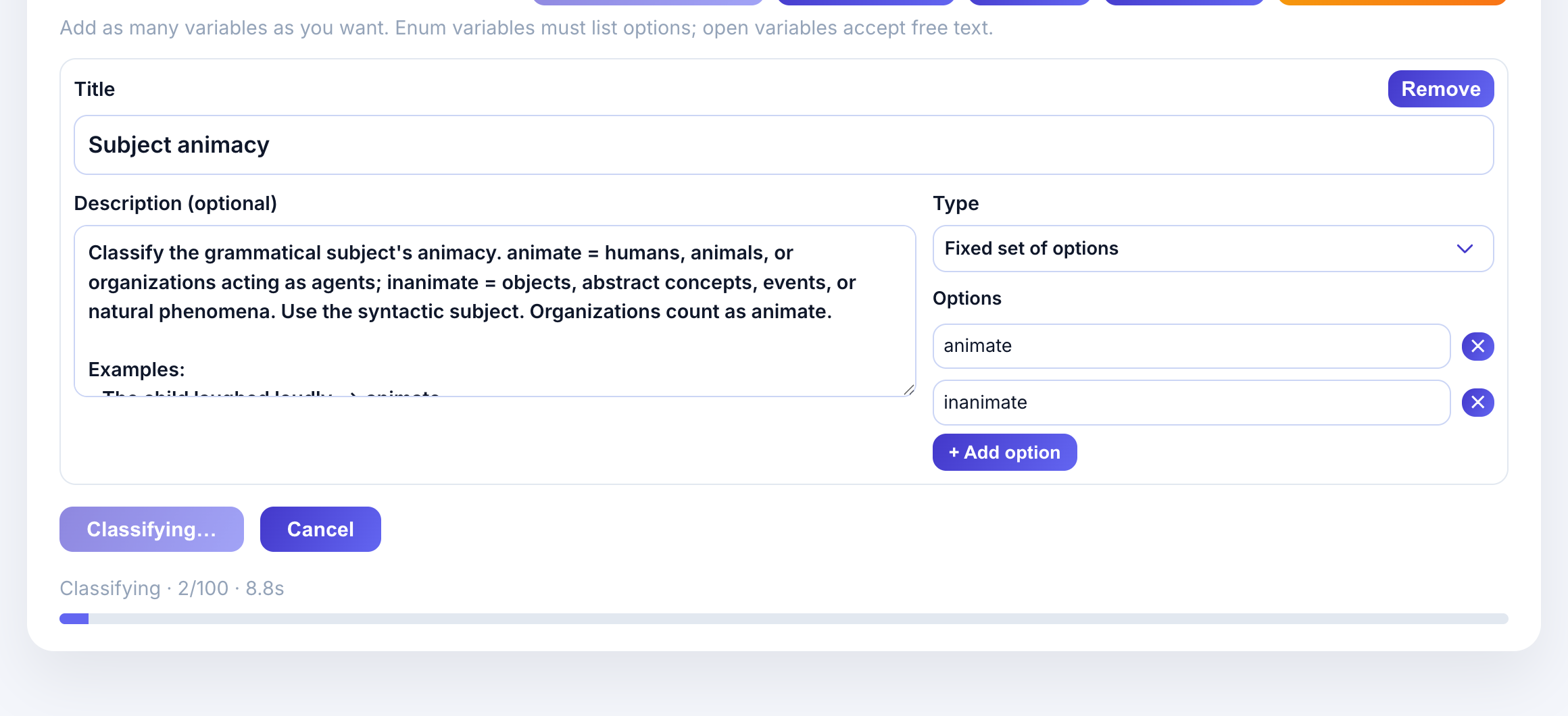
- Title: Subject animacy
- Description: Classification criteria with examples
- Type: Fixed set of options (enum)
- Options: animate, inanimate
The description provides guidance to the LLM:
Classify the grammatical subject’s animacy. animate = humans, animals, or organizations acting as agents; inanimate = objects, abstract concepts, events, or natural phenomena.
Examples help calibrate the model:
- “The child laughed loudly.” -> animate
- “The committee approved the proposal.” -> animate
- “The storm destroyed the docks.” -> inanimate
Step 3: Run classification
- Select sample size (e.g., 5 lines for a quick test).
- Review the estimated cost.
- Click Classify sample.
The model classifies each concordance line and returns results.
Step 4: Review results
Results appear in a table with your variable columns:
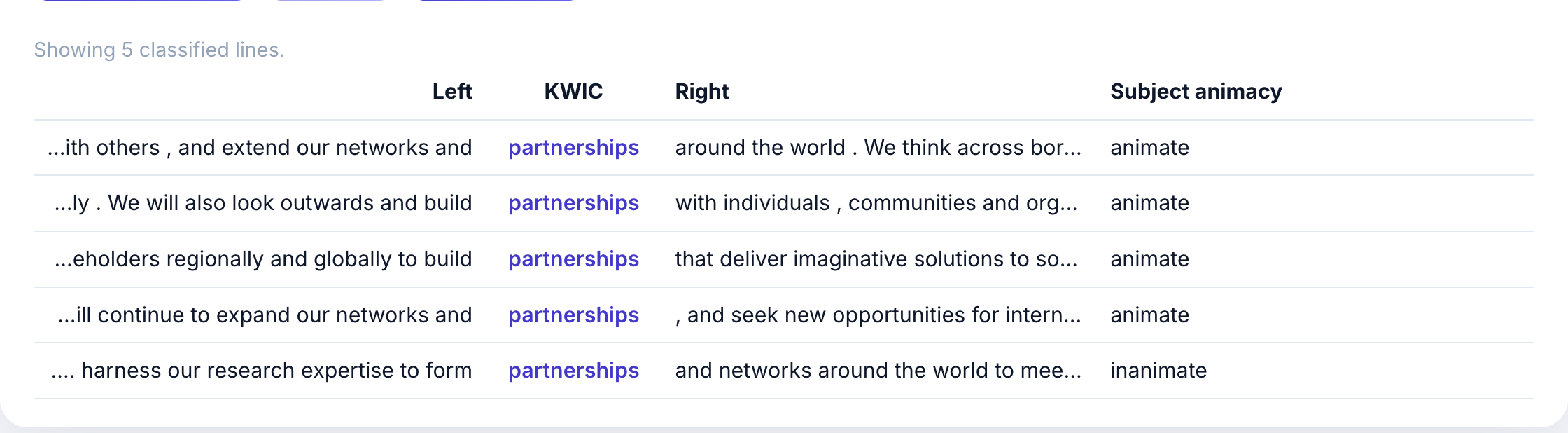
Each row shows:
- Left context: words before the keyword
- KWIC: the keyword in context (partnerships)
- Right context: words after the keyword
- Subject animacy: the LLM’s classification
In this example, most “partnership” usages have animate subjects (organizations, institutions, “we”) because the corpus discusses what universities do with partnerships.
Step 5: Export results
Click Export CSV to download results for further analysis in Excel, R, or Python.
Variable design tips
Good variable definitions lead to better classifications. Follow these principles:
Be specific and concrete
Good: “Classify whether the subject is a human, animal, organization (animate) or an object, concept, event (inanimate).”
Vague: “Is the subject alive?”
Provide representative examples
Include 3-5 examples that show edge cases:
Examples:
- "The university invested heavily" → animate (organization as agent)
- "Our partnerships enable growth" → animate (implied "we")
- "The program achieved results" → inanimate (program as abstract)
Keep descriptions concise
The LLM has limited context. Descriptions under 100 words work best. Focus on:
- What to classify
- How to distinguish categories
- Key examples
Choose appropriate variable types
- Enum (fixed options): Use when categories are mutually exclusive and well-defined. Better for consistency across samples.
- Open (free text): Use for exploratory analysis or when categories are hard to predefine. Allows 1-6 word labels.
Test with small samples first
Run 5-10 classifications to verify the model understands your variable definition before scaling up.